Codex vs Claude Code: Gemini CLI, Copilot, Cursor Compared

AI summary
- Codex, Claude Code, Gemini CLI, Copilot CLI and Cursor share one core principle: they read your repository, plan a change, write files, run commands and check the result.
- Claude Code costs 20 USD for Pro with Claude Opus 5.5 as default model, while Codex is included in every ChatGPT plan and Gemini CLI offers 1,000 free requests daily with a Google account.
- All five tools support plan mode for read-only operations, AGENTS.md as shared project file, skills for recurring tasks, hooks for fixed points, subagents with own context windows and MCP protocol.
- Codex implements strictest security by default with network off, OS-level sandbox and permission modes limiting writes to working folder, while Claude Code offers permission modes with optional sandbox for shell commands.
Generated with AI, the details are in the article.
Table of contents
Claude Code series, all parts:
Guide series
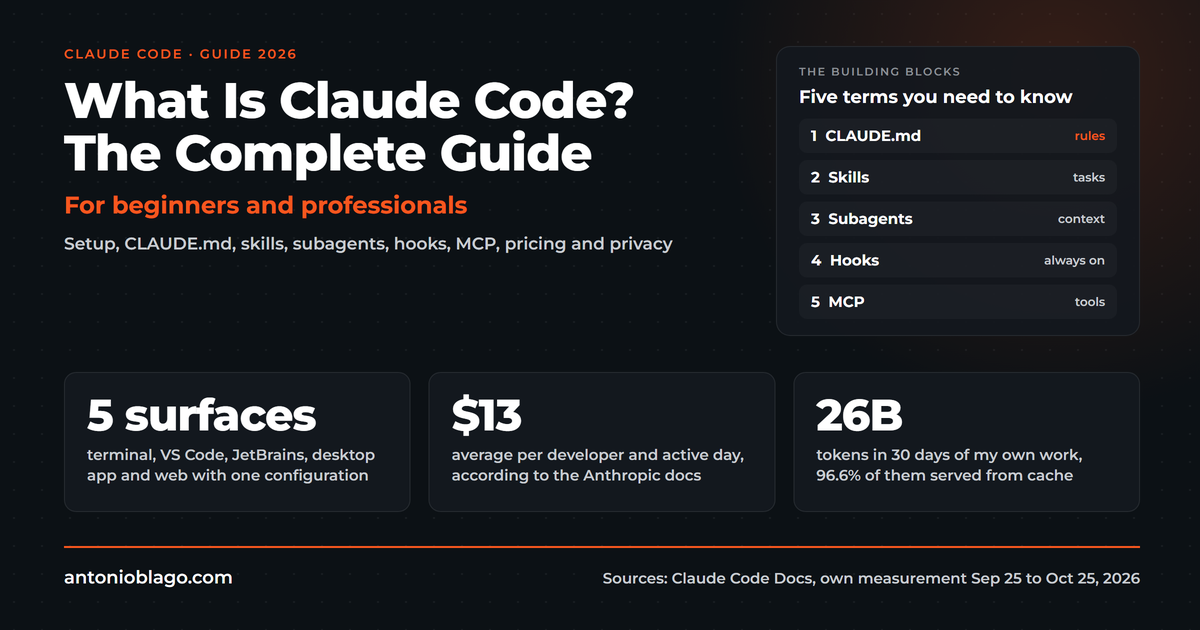
- What is Claude Code? The complete guide
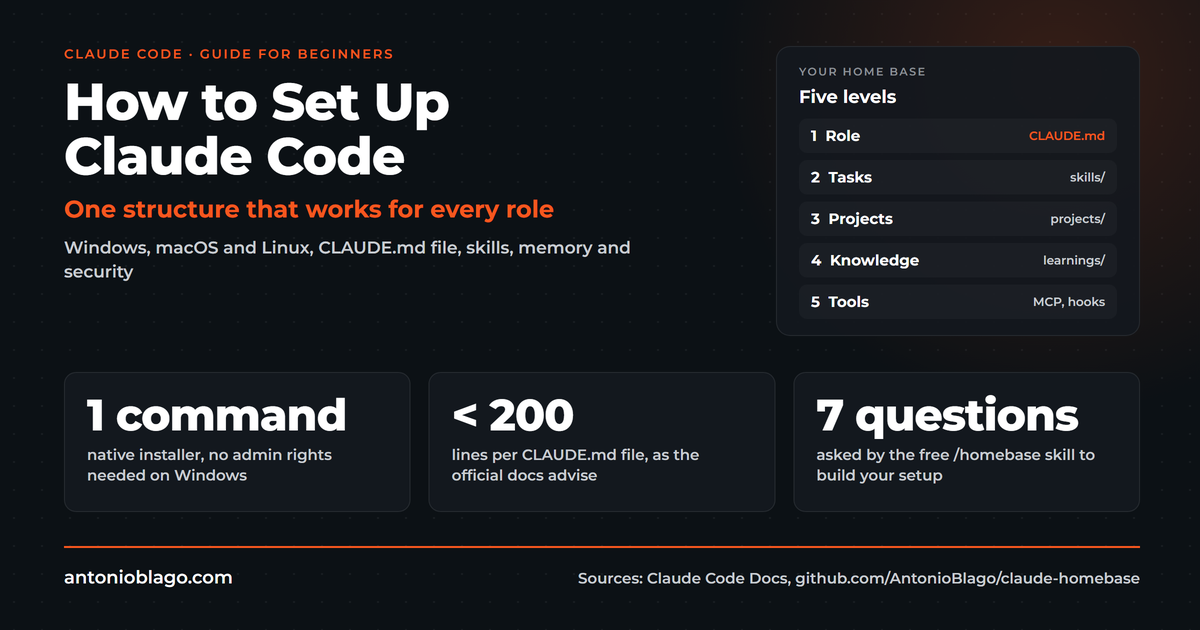
- How to set up Claude Code: a guide for beginners
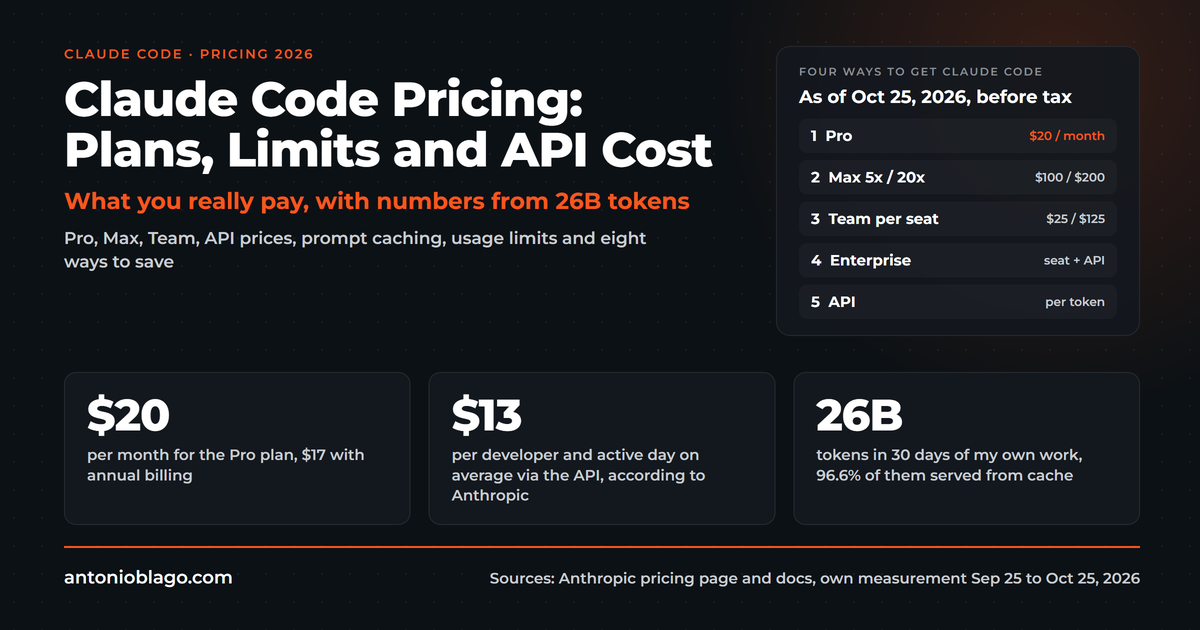
- Claude Code pricing 2026: plans, limits and API cost
- Best Claude Code skills for developers
- Codex vs Claude Code: Gemini CLI, Copilot and Cursor compared (this article)
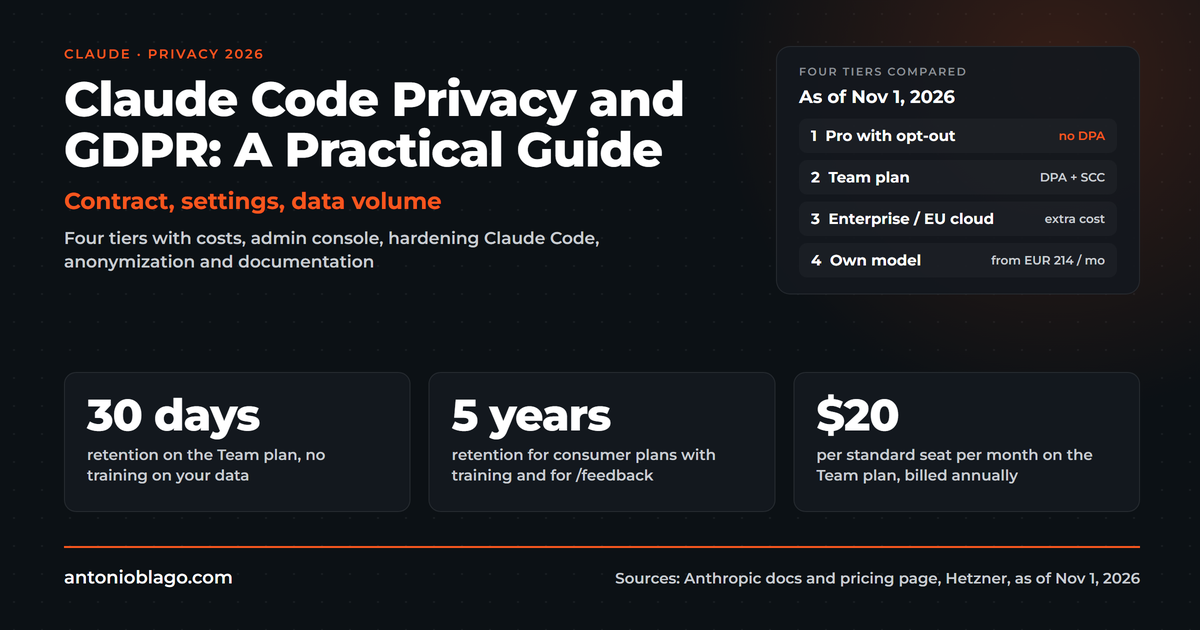
- Claude Code privacy and GDPR: a practical guide
- Claude Team plan: pricing, admin console and setup
From practice
- Agentic SEO systems 2026: Claude Code as an SEO control center
- Agentic engineering: 100+ SEO projects solo with AI
- Claude skills in practice: winning the Peec AI MCP Challenge
- Build an online shop with Claude Code: Happy Coffee
Studies
Be Ahead newsletter
"Codex vs Claude Code" is the most common comparison question around terminal AI agents. Most answers argue about benchmarks. My day looks different: Claude Code is my main tool, OpenAI Codex runs next to it, and many of my clients sit in front of Microsoft Copilot because it is the only approved tool in their company[20]. The question is rarely "which one" and usually "which one for what".
This article compares five tools for AI-assisted code generation that share one core principle: they read your repository or project folder, plan a change, write files, run commands and check the result. OpenAI Codex, Google's Gemini CLI, GitHub Copilot CLI and Cursor go up against Claude Code, with facts on interfaces, models, configuration, sandboxing, prices, limits and benchmarks, as of 1 November 2026. Prices and model names change monthly in this market, so every number carries its source. What Claude Code is in the first place is explained in the Claude Code guide, and the prices in detail are in the article Claude Code pricing.
Codex vs Claude Code: the short version
If you only have two minutes, here is OpenAI Codex versus Claude Code in one table. The differences lie less in the principle than in the model, the billing and the ecosystem.
| Criterion | Claude Code | Codex |
|---|---|---|
| Maker | Anthropic | OpenAI |
| Surfaces | Terminal, VS Code, JetBrains, desktop app, web[19] | CLI, IDE extension for VS Code, Cursor and Windsurf, ChatGPT desktop app, web, Codex Cloud[1][2] |
| Default model | Claude Opus 5.5, on Max and Ultra also Fable 5.1[17] | GPT-6.1 Sol on paid plans, GPT-6 Luna on Free and Go[8] |
| Project file | CLAUDE.md, also reads AGENTS.md[18] | AGENTS.md and config.toml[7] |
| Open source | no[19] | yes, Apache-2.0[1] |
| Entry point | Pro for 20 USD, no free plan[19] | included in every ChatGPT plan, even Free and Go[2] |
| Sandbox default | Permission modes, sandbox for shell commands can be switched on[19] | Network off, OS sandbox, writes only in the working folder[6] |
| Building blocks | Skills, hooks, subagents, MCP, plugins, plan mode[19] | Skills, plugins, subagents, MCP, rules, cloud tasks[5][7] |
The other three candidates differ mainly in entry price and model choice:
| Criterion | Gemini CLI | Copilot CLI | Cursor |
|---|---|---|---|
| Maker | GitHub (Microsoft) | Anysphere, part of SpaceX since August 2026[15] | |
| Entry point | 0 USD with a Google account, 1,000 requests a day[10] | Copilot Free or Pro for 10 USD[13] | Free or Plus for 8 USD[14] |
| Models | Gemini 3 Pro and Flash, 3.1 Pro Preview rolling out[11] | selectable via /model, Claude and GPT models[12] | Grok included, other models at API price[14] |
| Project file | GEMINI.md[9] | Custom instructions, AGENTS.md[12] | Rules, memory[23] |
| Open source | yes, Apache 2.0[9] | no | no |
| Specialty | Hooks, extensions, checkpoints, plan mode[9] | GitHub MCP server preinstalled, autopilot mode[12] | Editor, CLI and cloud agent in one subscription[14] |
What all five tools have in common
Before the differences, it is worth looking at what has converged. Each of the five works from a terminal interface, starts in a folder, reads your codebase, proposes changes and runs commands. Each has a mode in which it plans first and touches nothing: plan mode in Claude Code, Gemini CLI and Copilot CLI, the read-only sandbox mode in Codex[6][9][12]. Behind each one sits a large language model with its own context window that the vendor supplies or that you choose, and each speaks MCP, the Model Context Protocol, which connects external services[5][9][12][14].
AGENTS.md: the shared project file
The second similarity is newer. OpenAI Codex reads its instructions from a file called AGENTS.md, globally under ~/.codex and per repository, and the documentation advises keeping it small and letting the agent extend it after every correction[7]. Claude Code reads the same AGENTS.md instead of a CLAUDE.md when a project already uses one[18]. Copilot CLI knows custom instructions and AGENTS.md[12], and Gemini CLI has its own format in GEMINI.md but the same idea[9]. For teams this means one project file can serve three tools.
Skills, hooks and subagents
Skills, meaning folders with instructions for a recurring task, now exist in Claude Code, Codex, Gemini CLI and Copilot CLI. Like Claude Code, Codex loads only the metadata into context and the content once the task fits[7]. Hooks, meaning commands that always run at fixed points, are offered by Claude Code, Gemini CLI and Copilot CLI[9][12]; this extensibility is where Claude Code goes deepest, while OpenAI Codex solves the same thing with rules and approval policies[6]. All four have subagents with their own context window[5].
For me this is not theory. One of my own skills mirrors my skills folder and the MCP configuration to Codex and into the agent window of VS Code, so the same workflow runs identically in every tool, and both agents read the same credentials file for the hosting provider[21]. Which skills are worth it for developers is covered in The best Claude Code skills for developers.
Visibly AI: your SEO copilot
Projects, rankings, Search Console data and a copilot that runs the analysis for you. Start for free.
Codex: OpenAI's agent in CLI, IDE, app and cloud
OpenAI Codex is OpenAI's coding tool. The CLI is open source under Apache-2.0 and installs with one command (curl -fsSL https://chatgpt.com/codex/install.sh | sh, or via PowerShell on Windows), alternatively through npm or Homebrew[1]. You sign in with your ChatGPT account; an API key works too[1]. Besides the CLI there is the IDE extension, which also runs in Cursor and Windsurf, the Codex mode in the ChatGPT desktop app, Codex in the browser and Codex Cloud, which runs coding tasks on OpenAI machines while your computer sleeps[1][2].
Codex features and security
The CLI brings what you expect from a terminal agent: codex resume for old sessions, images in the prompt, subagents, live web search with codex --search, handoff to the cloud with codex cloud, MCP servers with codex mcp, a local code review for code quality and codex exec for scripts and CI[5]. Configuration runs through AGENTS.md, skills, plugins and config.toml[7].
On security, OpenAI Codex is stricter out of the box than the others: network access is off by default, an operating-system-level sandbox (Seatbelt on macOS, Landlock on Linux, native or WSL on Windows) limits writes to the working folder, and the modes read-only, workspace-write and danger-full-access define how far the agent may go[6]. The former "untrusted" policy was removed; read-only plus asking when needed is recommended[2][6]. Since 14 October 2026, GPT-5.5 is gone from Codex; on Plus, Pro, Business and Enterprise OpenAI recommends GPT-6.1 Sol, on Free and Go GPT-6 Luna[8].
How Codex fits into a working day, I described in February 2026 in a seminar on generative search: Gemini for research because its knowledge is current, Claude builds the application, and Codex joins now and then because it hooks straight into the GitHub project and works through deploys and bugs. One participant wondered why she could not find Codex in her ChatGPT: her company had switched it off[20]. In practice, that company approval is more often the hurdle than the technology.
Claude Code: the agent of this series in three sentences
Claude Code is Anthropic's coding tool for terminal, VS Code, JetBrains, desktop app and web, included in Pro (20 USD), Max (100 USD), Ultra (200 USD), Team and Enterprise or billed through the API; there is no free plan, and it is not open source[19]. Since the launch of Claude Opus 5.5 that model is the default in Claude Code; on Max and Ultra, Fable 5.1 adds up to half of the weekly limit, on Pro only through usage credits[17][19]. Its building blocks are CLAUDE.md, skills, hooks, subagents, MCP, plugins, plan mode and checkpoints[19]. The setup in five layers is in How to set up Claude Code, everything else in the guide.
Gemini CLI: start free with 1,000 requests a day
Gemini CLI is Google's open source tool (Apache 2.0), installed with npm install -g @google/gemini-cli, Homebrew or directly with npx[9]. The argument for starting is the price: with a personal Google account you get 1,000 model requests a day for free, with Google AI Pro 1,500, with AI Ultra 2,000; an unpaid Gemini API key brings 250 requests a day, but only with Flash models[10]. On top come per-minute limits, and anyone who needs more pays through Code Assist (1,500 or 2,000 requests) or by usage through an API key and Vertex AI[10].
Model choice runs through /model: "Auto (Gemini 3)" switches between gemini-3-pro-preview and gemini-3-flash-preview, Gemini 3.1 Pro Preview is being rolled out, and when the daily limit for Pro is reached the CLI falls back to Flash[11]. Functionally little is missing: GEMINI.md as project file, hooks, extensions, MCP, checkpointing, plan mode, agent skills, auto-memory, a headless mode and a GitHub Action[9].
One sentence in the README should give you pause: Gemini CLI is "not optimized for the latest Gemini models", and for the best coding experience Google points to its Antigravity CLI[9]. Google thereby positions the CLI itself as a light entry point, not as the top tool. In my workflow that is exactly what Gemini is: the research tool with current knowledge before Claude Code builds[20].
GitHub Copilot CLI: the agent for teams that already have Copilot
GitHub Copilot CLI requires an active Copilot subscription and is included in every plan, even Copilot Free[12][13]. It installs via script, Homebrew, WinGet or npm[12]. The GitHub MCP server is preinstalled, your own MCP servers are added, and every action is shown and approved before it runs; an autopilot mode lets the agent work through to the end of a task[12]. Plan mode, custom instructions, custom agents, skills, hooks, sandboxing and scheduled prompts are there, language servers you install yourself[12]. You pick the model with /model; the README names Claude Sonnet 4.5 as the default and Claude Sonnet 4 and GPT-5 as alternatives, and the current list is in the documentation[12].
Since 1 June 2026 GitHub bills by usage with GitHub AI Credits, rated by tokens per model: Pro costs 10 USD and includes 1,500 credits a month, Pro+ 39 USD with 7,000, Max 100 USD with 20,000, Business 19 USD per seat with 1,900 per user, Enterprise 39 USD with 3,900[13]. The classic code completion in the editor, meaning suggestions while you type, stays outside the meter[13].
Why this tool is in this comparison is shown by my workshops with industrial clients this year: Microsoft Copilot was the only approved AI tool there. Asked "Who does not use Copilot at all?", several hands went up in April, and those who did use it mostly wrote sensitive emails with it[20]. In June a marketing director asked why Copilot suddenly offered her Claude or ChatGPT to choose from, and whether Claude Code was then the same thing. The answer is the short form of this article: Copilot is the interface, the language model is one component, and an agent like Claude Code or Copilot CLI is a program of its own with tools. A privacy-compliant alternative would exist, but "somebody has to look into it and certify it for us"[20]. In October a consultant told me her employees may use neither Claude nor Gemini[20]. For such teams, Copilot CLI is the realistic way into agents: same licence, same approval, GitHub integration included. The limits we probed in a Copilot session in June, for example with calculation or counting letters, concern the chat assistant in Microsoft 365, not the CLI, which works with tools[20].
Cursor: editor, CLI and cloud agent under the SpaceX roof
Cursor is first of all an editor with built-in AI, but it now has its own CLI (agent) with the same modes as the editor, a headless mode for scripts and CI, and cloud agents to which you hand over a conversation with a leading &[14]. That makes Cursor the only candidate where editor, terminal agent and cloud agent come from one subscription. The company behind it, Anysphere, has belonged to SpaceX since 14 August 2026; the contract of around 60 billion US dollars in shares was signed on 16 June, and Cursor has since run in the SpaceXAI division[15].
The pricing page reflects that: Free for 0 USD, Plus 8, Premium 30, Super 100, Ultra 200 USD a month, Teams from 30 USD per user. Each plan includes a usage pool that is refreshed weekly and shared with Grok; models from other vendors cost extra at API list price, and cloud agents and the review bot Bugbot start at Premium[14]. For Claude or GPT models in Cursor you therefore pay twice: the subscription and the usage.
Two experiences from conversations put this in perspective. In a developer session in July 2026 that I took part in, a participant showed his Cursor dashboard: 210 US dollars in one month, caused by thinking models and a limit that can be topped up with a click, "like at a slot machine"[22]. And Fabian Rossbacher told me on the podcast that his Cursor memory has been trained over twelve months; a new computer with a new account would mean weeks again until the agents work the way he wants[23]. That conversation is in Agentic engineering: 100+ SEO projects alone with AI.
Prices and limits compared
All five vendors have moved to billing by token or credit in 2026, even where a subscription price is printed on the box. The table shows entry point, heavy-user tier and the logic behind it.
| Tool | Entry | Heavy use | Billing logic |
|---|---|---|---|
| Claude Code | Pro 20 USD | Max 100 USD, Ultra 200 USD | Five-hour and weekly limit, usage credits beyond[19] |
| Codex | Free, Go 8 USD, Plus 20 USD | Pro 100, 200 or 500 USD | by token since April 2026, five-hour window on Plus, credits can be added[2][3][4] |
| Gemini CLI | 0 USD, 1,000 requests a day | AI Pro 1,500, AI Ultra 2,000; API by usage | Requests per day and per minute[10] |
| Copilot CLI | Free; Pro 10 USD with 1,500 credits | Pro+ 39 USD (7,000), Max 100 USD (20,000) | GitHub AI Credits per token since 1 June 2026[13] |
| Cursor | Free; Plus 8 USD | Premium 30, Super 100, Ultra 200 USD | weekly pool, third-party models at list price[14] |
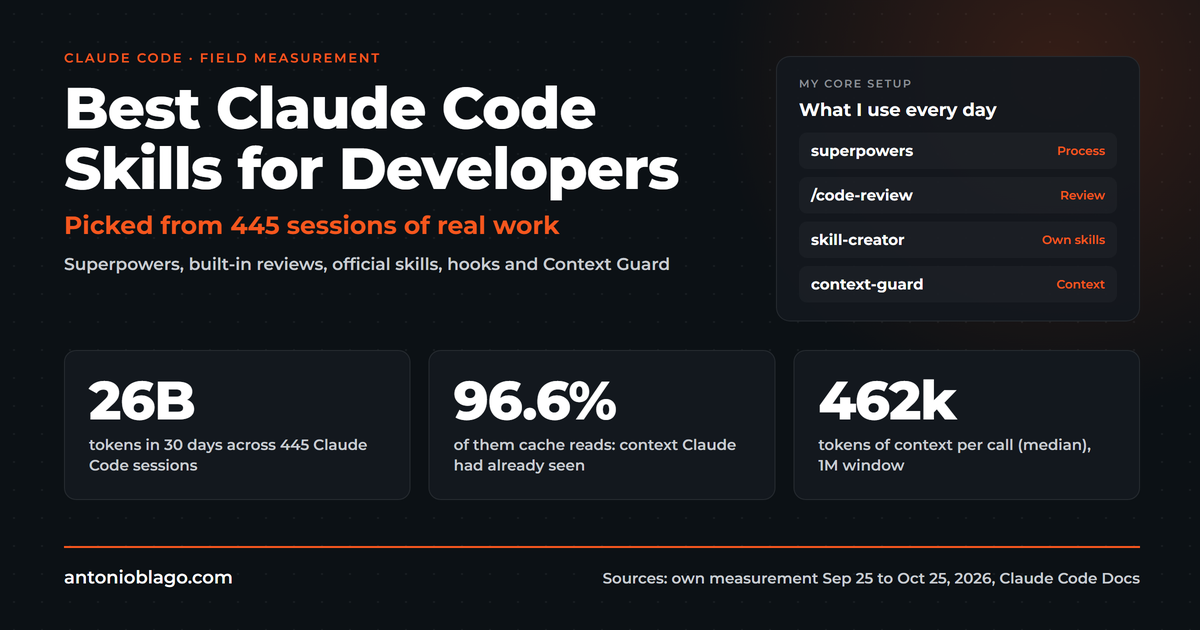
How much fits into a Codex window, OpenAI estimates itself: on Plus and Standard Business, five hours cover 15 to 160 local messages with GPT-6.1 Sol, 5 to 45 with GPT-6 Astra and 350 to 3,000 with GPT-6 Luna; Pro plans currently have no five-hour limit, weekly limits can still apply, and cloud tasks count against the same allowance[3]. The ranges are wide because the context behind each message counts; the number of messages alone says little. The same holds for Claude Code: in my measurement of 26 billion tokens in 30 days, 96.6 percent were cache reads, and the context per call was the cost driver, as the pricing article calculates.
From this mechanism follows my most pragmatic advice: when the five-hour window is full at Claude, I let a review or a small remainder run in Codex or GitHub Copilot, both of which work in the same project folder[20]. Two cheap plans bridge limits better than one expensive plan, as long as the project file applies to both agents.
Benchmarks: what the numbers say and what they do not
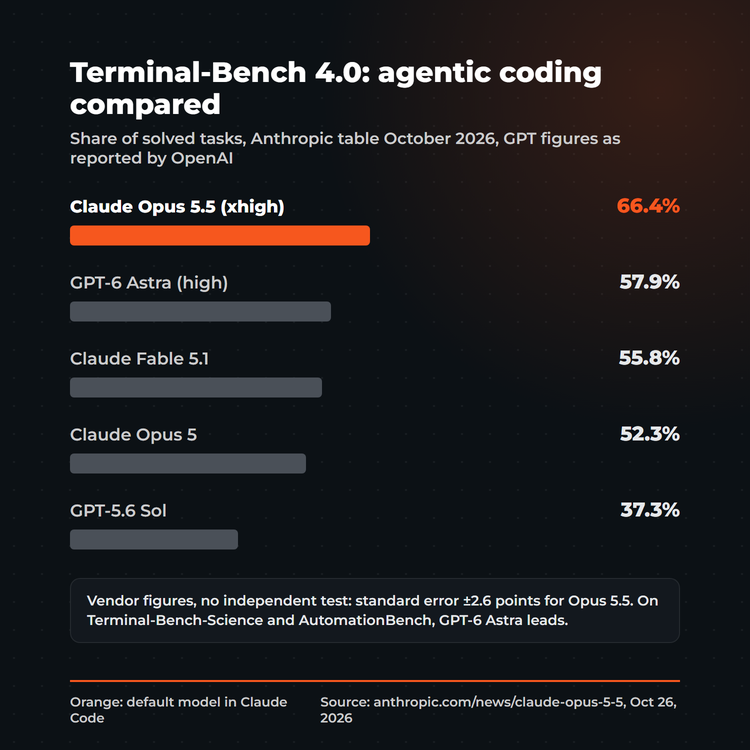
The most current table that shows both camps side by side was published by Anthropic with the release of Claude Opus 5.5. On Terminal-Bench 4.0, the benchmark for multi-step tasks on the command line, Opus 5.5 reaches 66.4 percent, GPT-6 Astra 57.9 percent, Fable 5.1 55.8 and Opus 5 52.3 percent[16].
| Benchmark | Claude Opus 5.5 | GPT-6 Astra | Note |
|---|---|---|---|
| Terminal-Bench 4.0 | 66.4% | 57.9% | Opus at xhigh, Astra at high, standard error ±2.6 points |
| FrontierCode v1.1 | 54.4% | 53.3% | measures whether changes would be merged |
| CursorBench 4.0 | 57.8% | not reported | tasks from real Cursor sessions |
| AutomationBench | 40.0% | 41.4% | measured by Zapier, Astra ahead |
| Terminal-Bench-Science 0.1 | 58.7% | 64.6% | Astra clearly ahead |
Three caveats belong here. First, the table comes from the maker of one of the two models, and the GPT figures are taken over from OpenAI, not re-measured[16]. Second, every number measures model plus harness: the public leaderboard uses the Claude Code harness, and Anthropic itself states a standard error of 2.6 points[16]. Third, you do not automatically get the benchmark model with your subscription: in Codex, GPT-6.1 Sol is the recommendation for Plus and Pro, and Astra uses three to four times the allowance according to OpenAI[3][8], while Opus 5.5 is the default model in Claude Code[17]. And benchmarks age quickly: GPT-5.5, with which the spring comparisons were run, has been removed from Codex since 14 October 2026[8].
Methodology of this comparison
This comparison rests on primary sources and my own practice, not on a benchmark run of my own. I read prices, limits, models and features directly at the vendors between 26 October and 1 November 2026: README and documentation of Codex, Gemini CLI and Copilot CLI, the pricing pages of OpenAI, Anthropic, GitHub and Cursor, and the announcement of Claude Opus 5.5. I take benchmark values unchanged from the vendor table and label them as such. The practical examples come from my own conversations, workshops and my daily work with Claude Code and Codex; client names are anonymised[20][21]. My own study for this is the analysis of 30 days of session logs with 26 billion tokens, documented in the pricing article. My setup, in which both agents have been in daily use for months, serves as the practical example.
My setup: Claude Code and Codex side by side
Claude Code is my main tool: that is where the global CLAUDE.md with my role, more than 80 skills, the learnings and the hooks live. Codex is the second agent for two cases: an independent review when I do not trust a change, and a bridge when a limit is reached[20][21]. To make this work without maintaining two configurations, a skill mirrors my skills and MCP servers to Codex and into the agent window of VS Code, and the credentials for the hosting provider live in a single file outside the project folder that both read[21].
I learned one rule the expensive way: never two agents at the same time in the same Git working folder. A git stash from a parallel session once emptied my index, and since then every feature gets its own worktree[21]. What I do not do: redirect Claude Code to models from other vendors through a gateway; that is not officially intended, and anyone who wants another model takes the matching agent. For clients this means in practice: my SEO tool Visibly AI is attached to each of these agents through MCP, and when I show it in client calls I say "with Claude Code or Codex, whatever you are allowed to use"[20].
Which agent for whom
- Non-developers, freelancers, agencies: Claude Code, because the structure of role, tasks, projects, knowledge and tools works without code and the desktop app needs no terminal[19]. Codex is the alternative when the ChatGPT subscription already runs[2].
- Zero budget: Gemini CLI with 1,000 requests a day, then Codex on the Free plan[10][2]. Claude Code has no free plan[19].
- Developers in a corporation with a Copilot mandate: Copilot CLI, because licence and approval are already there, models stay selectable and the GitHub MCP server comes along[12][13][20].
- Teams that want to stay in the editor: Cursor, with the note about double billing for third-party models[14]; Claude Code and Codex also run as extensions inside Cursor[1][19].
- Heavy users: two agents with a shared AGENTS.md instead of one expensive plan; for me Claude Code on the Max plan and Codex, and the limits bridge each other[21][18].
Frequently asked questions
Codex or Claude Code: which one should I take?
Both handle the same coding tasks. Take Claude Code if you want the stronger default model for agent work and a developed system of skills, hooks and subagents; Anthropic reports Opus 5.5 at 66.4 against 57.9 percent on Terminal-Bench 4.0[16][17]. Take OpenAI Codex if you want to start without a subscription, already have a ChatGPT account or need the stricter default sandbox[2][6]. For many people, both works best.
Can I use Claude Code and Codex together?
Yes. Both read an AGENTS.md in the project, skills can be mirrored, and MCP servers can be entered for both[18][7]. Just do not let them work in the same Git working folder at the same time[21].
Is Codex free?
OpenAI Codex is included in every ChatGPT plan, even Free and Go, with correspondingly small limits; Codex Cloud starts at Plus[2]. Plus costs 20 USD, Pro 100, 200 or 500 USD a month[3][4].
Is Gemini CLI really free?
With a personal Google account, yes: 1,000 model requests a day, limited per minute, with Google handling model choice[10]. With an unpaid API key it is 250 requests, Flash only[10]. For professional continuous load the path leads to Code Assist or to billing by usage[10].
Claude Code vs Cursor: editor or agent?
Cursor is an editor with an agent and its own CLI, Claude Code is an agent that runs inside your editor, including Cursor[14][19]. Price-wise Cursor starts at 8 USD but charges API list price on top for Claude or GPT models[14]. Anyone who wants Claude models gets them cheaper directly through Claude Code.
Copilot CLI or Claude Code in a company?
If Copilot is the only approved licence, Copilot CLI: it is included in every plan, the models are selectable, the credits are managed centrally[13]. In my workshops with industrial clients that was the normal case in 2026[20]. Claude Code needs a Team or Enterprise plan from Anthropic or access through Bedrock, Google Cloud or Foundry[19].
Which agent is easiest for beginners and freelancers?
For freelancers who want quick results, Claude Code is the shortest path, because Pro already includes Claude Code and the desktop app works without a terminal[19]. Where ease of use is concerned, the agents are close together; the difference comes more from the connection to existing services: all five speak MCP, Copilot CLI brings the GitHub MCP server along, and an API integration of your own services goes through MCP or the respective configuration everywhere. Anyone who only wants to try things out starts with Gemini CLI (0 USD) or Codex on the Free plan[10][2]. In my conversations with consultants without a programming background, it has worked well to do the setup together once and then work only in plain language afterwards[20].
Is Claude Code or Codex better for a non-technical founder building an MVP?
For a founder without a programming background, Claude Code is the more comfortable start, because you can describe the product in plain language, the desktop app hides the terminal and skills keep recurring steps repeatable[19]. OpenAI Codex is the better pick if you already pay for ChatGPT and want the strict default sandbox while you learn[2][6]. Either way, ask the tool to explain every change before you accept it, and keep the code in Git so you can always go back.
Which agent suits a small development team?
A team mainly needs a shared project file and central billing. Copilot Business (19 USD per seat) and Cursor Teams (from 30 USD per user) bring both[13][14]; with Claude Code and Codex it runs through Team and Business plans respectively[19][3]. What matters is that the AGENTS.md lives in the repository and every agent reads it[18][7].
Where does my data go when I use an agent?
All five agents send code and requests to the servers of the respective model provider. With Codex, OpenAI does not train on your content by default in Business and Enterprise; in Plus and Pro you can switch it off in the data controls[2]; at Claude, all individual plans offer an opt-out for training[19]. This is not legal advice. How to set up Claude in a privacy-compliant way is covered in my guide to Claude Code privacy and GDPR.
Do all agents read the same AGENTS.md?
Codex yes, Claude Code yes, Copilot CLI yes; Gemini CLI uses GEMINI.md[7][18][12][9]. Claude Code treats CLAUDE.md and AGENTS.md as equals; rules that should apply only to Claude stay in the CLAUDE.md[18].
Which agent is cheapest?
For getting started, Gemini CLI (0 USD), then Cursor Plus (8 USD) and Copilot Pro (10 USD), Codex and Claude Code from 20 USD[10][14][13][3][19]. For daily work, the context per call decides the cost. The plan is secondary; the pricing article shows the levers.
Which agent is the safest?
Out of the box, Codex: network off, OS sandbox, write access only in the working folder[6]. Copilot CLI shows every action before it runs[12], and Claude Code works with permission modes, a classifier in auto mode and a sandbox that can be switched on[19]. In the end the configuration is safe, not the logo.
Conclusion
Codex and Claude Code are closer in principle than any comparison table suggests, and Gemini CLI, Copilot CLI and Cursor follow the same pattern. The differences lie in the model, the billing and the ecosystem: Claude Code with Opus 5.5 and the deepest system of skills and hooks, Codex with the widest access down to the free plan and the strictest default sandbox, Gemini CLI with 1,000 free requests, Copilot CLI with the licence companies already have, Cursor with editor and agent from one hand. My advice after a year with two agents: decide on one main tool, keep the project file agent-neutral and add the second agent for review and limits. The holy war costs more time than both subscriptions together.
All parts of the Claude Code series:
Guide series
- What is Claude Code? The complete guide
- How to set up Claude Code: a guide for beginners
- Claude Code pricing 2026: plans, limits and API cost
- Best Claude Code skills for developers
- Codex vs Claude Code: Gemini CLI, Copilot and Cursor compared (this article)
- Claude Code privacy and GDPR: a practical guide
- Claude Team plan: pricing, admin console and setup
From practice
- Agentic SEO systems 2026: Claude Code as an SEO control center
- Agentic engineering: 100+ SEO projects solo with AI
- Claude skills in practice: winning the Peec AI MCP Challenge
- Build an online shop with Claude Code: Happy Coffee
Studies
Be Ahead newsletter
Sources
- OpenAI: github.com/openai/codex, README, retrieved 1 November 2026
- OpenAI Help Center: Using Codex with your ChatGPT plan, updated 25 October 2026, retrieved 26 October 2026
- OpenAI: Codex pricing, retrieved 1 November 2026
- CloudZero: OpenAI Codex pricing in 2026 (4 September 2026) and Jet Admin: Codex pricing (24 July 2026), retrieved 26 October 2026
- OpenAI Docs: Codex CLI, retrieved 26 October 2026
- OpenAI Docs: Agent approvals and security, retrieved 26 October 2026
- OpenAI Docs: Customization: AGENTS.md, skills, MCP, subagents, retrieved 26 October 2026
- OpenAI Docs: Models, retrieved 1 November 2026
- Google: github.com/google-gemini/gemini-cli, README and documentation, retrieved 26 October 2026
- Google: Gemini CLI: Quotas and pricing, retrieved 1 November 2026
- Google: Gemini CLI model selection and Gemini 3 on Gemini CLI, retrieved 26 October 2026
- GitHub: github.com/github/copilot-cli, README, and Using GitHub Copilot CLI, retrieved 26 October 2026
- GitHub Docs: Plans for GitHub Copilot, retrieved 1 November 2026
- Cursor: Pricing and Cursor CLI, retrieved 1 November 2026
- Techzine: SpaceX acquires Cursor for 60 billion; Semafor: SpaceX wins big with Cursor (17 June 2026); CrowdfundInsider: SpaceX completes acquisition of Cursor (August 2026), retrieved 26 October 2026
- Anthropic: Claude Opus 5.5, benchmark table, retrieved 1 November 2026
- Vellum: Claude Opus 5.5 benchmarks explained, September 2026, retrieved 26 October 2026
- Claude Code Docs: How Claude remembers your project, AGENTS.md section, retrieved 26 October 2026
- Anthropic: Plans and pricing, retrieved 1 November 2026, and Claude Code overview, details in the article Claude Code pricing 2026
- Own conversations and workshops with clients and prospects (biweekly and Copilot session at an industrial client June 2026, AI workshops April and July 2026, first call October 2026, own seminar February 2026), transcripts stored locally, anonymised
- The author's own working environment: skill agent-sync, shared credentials file, worktree rule after an emptied Git index, as of 1 November 2026
- Friday session "Software development with AI support", 11 July 2026, transcript by a participant, anonymised
- Own podcast with Fabian Rossbacher, published in Agentic engineering: 100+ SEO projects alone with AI
How visible is your brand in ChatGPT and friends?
The AI Check shows you within minutes whether and how AI assistants mention your brand.

About the Author: Antonio Blago
SEO Freelancer & AI Visibility Expert
I optimize SEO data-driven with Python, behavioral psychology, and my Neuro-SEO System®. On YouTube, LinkedIn, and Instagram I share hands-on tutorials, insights, and SEO strategies.