Explanation of Google Maps

AI summary
- A Google Maps profile is a digital business representation containing address, opening hours, contact information and customer reviews that acts as a digital business card.
- Google evaluates profile completeness and currency as ranking factors, with relevance, distance and prominence being three primary factors influencing local search visibility.
- Setting up a free Google Business profile requires creating a Google account, entering business details, choosing categories, specifying location and completing Google verification.
- Businesses should avoid incomplete profiles, outdated information, keyword stuffing in names, ignoring reviews, duplicate listings and unverified profiles to maintain optimal local visibility.
Generated with AI, the details are in the article.
Table of contents
What is a Google Maps Profile? Definition and Meaning
A Google Maps profile is a digital representation of a business that appears in Google Maps and Google Search. This profile contains important information such as the address, opening hours, contact information and customer reviews. It acts as a digital business card that informs potential customers about the business and shows them the way to the location.
The importance of a Google Maps profile for businesses is immense. When users search for specific services or products, the business appears in the search results, which increases the chance of gaining new customers. A fully completed and optimized profile sets the business apart from the competition and strengthens customer loyalty.
Why is a Google Maps Profile Important for Businesses?
A Google Maps profile allows businesses to appear in local search results and thus increase their visibility. This is particularly important for small and medium-sized businesses that rely primarily on local customers. In addition, a correctly maintained profile offers the opportunity to communicate directly with customers, whether through reviews, responses to reviews or updates to opening hours and offers.
Another key aspect is the integration with other Google services such as Google Search, Google My Business and Google Street View. This interconnection further increases the discoverability of the business. Regularly updating and managing the Google Maps profile ensures that potential customers always receive the latest and most accurate information.
If you want to dive deeper into the topic of local visibility, it is worth taking a look at our article on Local SEO, which shows how local search engine optimization works in practice.
Setting Up Your Google Business Profile Step by Step
Setting up a Google Business profile, as the Google Maps profile is officially called, is free and can be done in just a few steps. It is important to proceed carefully from the start, as incorrect information can permanently affect your local visibility.
- Create or sign in to a Google account: Sign in with an existing Google account or create a new one. Ideally, use an account that remains permanently linked to your business.
- Open Google Business Profile: Go to business.google.com and click on "Get started".
- Enter your business name: Enter your official business name. Do not add keywords or additions that are not part of your real name, as Google considers this spam.
- Choose a business category: Select the main category that best describes your offering. This decision has a direct influence on which search queries you appear for.
- Specify your location: If you have a physical location that customers can visit, enter your address. If you offer a delivery service or work at the customer's location, you can define a service area instead.
- Add contact details: Provide your phone number and website URL so that interested parties can reach you directly.
- Complete verification: Google must confirm that you are the rightful owner of the listing. The most common method is sending a postcard to your business address. In some cases, verification by phone, email or video call is also possible.
Only after successful verification is your profile fully active and you can use all the features.
Brand Radar: where does your brand stand?
Brand and generic traffic, competitors and potential at a glance, free of charge.
Optimizing Your Google Maps Profile
A set-up profile is a good start, but only an optimized profile reaches its full potential. Google evaluates the completeness and currency of your listing and takes these factors into account when ranking in local search results.
Choosing the Right Categories
In addition to the main category, you can specify several additional categories. Use this option to cover all relevant areas of your offering. However, only choose categories that actually apply to your business. Irrelevant categories confuse potential customers and can have a negative impact on your ranking.
Photos and Visual Content
Photos are one of the most effective elements of your profile. Upload high-quality images of your location, your products, your team and your services. Make sure the photos are current and convey an authentic impression. A profile picture and a cover photo are essential, and additional photos further strengthen the trust of potential customers.
Publishing Posts
Using the posts feature, you can share news, offers, events or products directly in your profile. These posts appear in Google Search and in Google Maps and keep your profile active. Regular posts signal to Google that your business is active, which can have a positive effect on your visibility.
Keeping Opening Hours Up to Date
Incorrect opening hours are one of the most common reasons why customers are frustrated and leave negative reviews. Maintain your regular opening hours carefully and add special opening hours for public holidays or special occasions. Google offers a dedicated feature for exceptional opening hours.
Business Description and Attributes
Write a precise and informative business description. Explain what your business offers, what makes it special and which customers you are targeting. Also make use of the available attributes, for example accessibility, parking availability or payment methods, to make your listing as complete as possible.
Collecting and Responding to Reviews
Customer reviews are a central component of your Google Maps profile. They influence not only the trust of potential customers, but also your ranking in local search results. An actively maintained profile with regular, genuine reviews is a strong signal for Google.
How to Get More Reviews
The simplest way to receive more reviews is to actively ask satisfied customers for them. You can send them the direct link to your review form, which Google provides in your profile. Incorporate this request into your email communication, on invoices or after a completed order. It is important that you never buy fake reviews or reward customers for positive reviews, as Google detects and penalizes such practices.
How to Respond to Reviews Correctly
Respond to every review, whether positive or negative. For positive reviews, a short, personal thank you is sufficient. For negative reviews, a careful approach is required. Stay objective, apologize for poor experiences and offer a solution. Never respond defensively or aggressively, as your responses are publicly visible and leave a lasting impression on other readers.
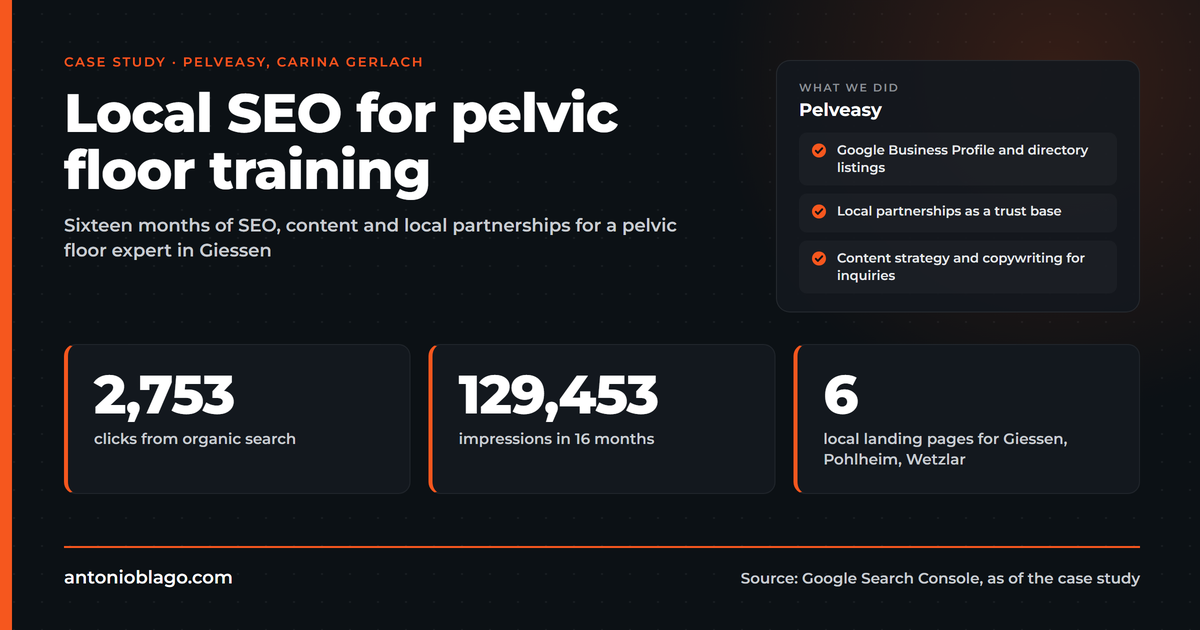
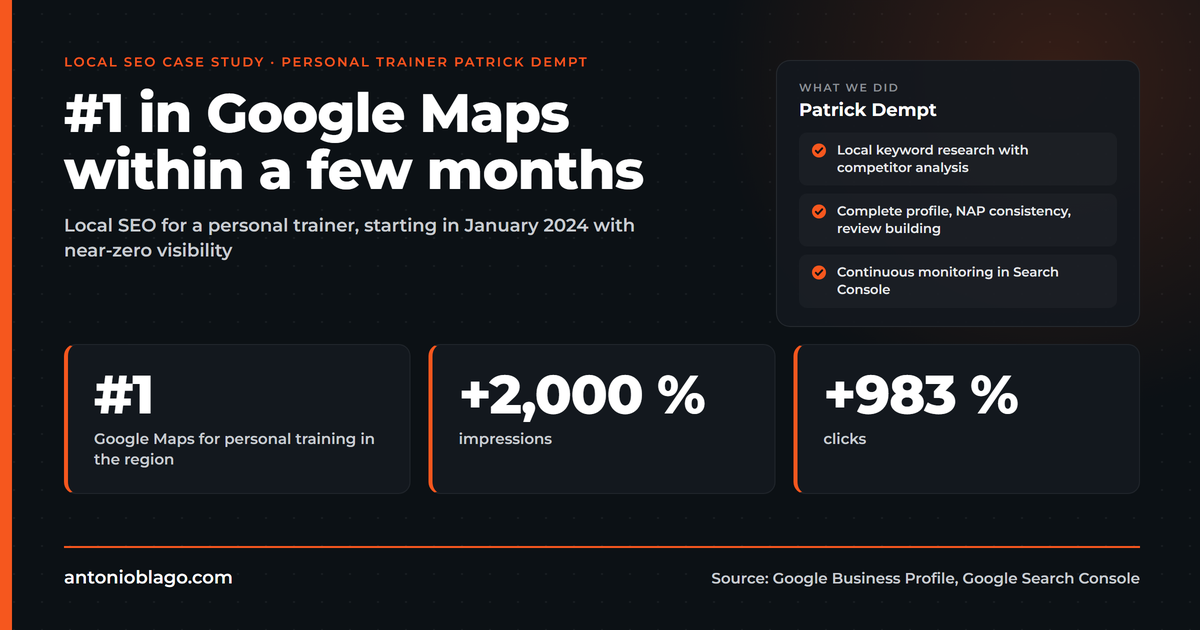
How important a consistent approach to reviews and local visibility is in practice is shown very clearly in this Local SEO case study.
Common Mistakes with Google Maps Profiles
Many businesses waste potential by making typical mistakes. You should definitely avoid the following points.
- Incomplete profiles: A profile without photos, without a description or with missing contact details appears unprofessional and loses out in rankings compared to complete profiles.
- Incorrect or outdated information: Outdated opening hours, an incorrect address or a no longer active phone number damage your reputation and frustrate customers.
- Keyword stuffing in the business name: Adding keywords to the business name that are not part of the official name violates Google's guidelines and can lead to the profile being suspended.
- No response to reviews: Ignoring reviews signals a lack of interest in your customers.
- Duplicate listings: Multiple listings for the same business confuse customers and Google. Check whether a listing for your business already exists before creating a new one.
- Missing verification: An unverified profile has limited features and lower credibility.
Frequently Asked Questions about Google Maps Profiles
Is a Google Business Profile Free?
Yes, creating and managing a Google Business profile is completely free. You only need a Google account.
Can I Create a Profile if I Have No Fixed Location?
Yes. If you provide your services at the customer's location or deliver, you can specify a service area instead of an address. Your exact address will then not be displayed publicly.
How Long Does Verification Take?
This depends on the chosen method. Verification by postcard can take several days to up to two weeks. Other methods such as phone or email are considerably faster, but are not always available.
What Influences My Ranking in Google Maps?
Google takes three factors into account primarily for local ranking. First, relevance, meaning how well your profile matches the search query. Second, distance, meaning how close your location is to the person searching. Third, prominence, meaning how well your business is positioned online, measured by reviews, links and the completeness of your profile.
How Often Should I Update My Profile?
Update your profile whenever relevant information changes, for example opening hours, address or offering. You should publish posts regularly to keep your profile active.
Conclusion
A Google Maps profile is an indispensable tool for any business that wants to strengthen its online presence and reach more local customers. By providing precise and up-to-date information as well as the opportunity for direct customer communication, a well-maintained profile makes a significant contribution to business success. Anyone who sets up their profile completely, maintains it regularly, actively collects reviews and responds to them lays a solid foundation for sustainable local visibility.
Free initial consultation
30 minutes, your website, concrete next steps. No sales pressure.

About the Author: Antonio Blago
SEO Freelancer & AI Visibility Expert
I optimize SEO data-driven with Python, behavioral psychology, and my Neuro-SEO System®. On YouTube, LinkedIn, and Instagram I share hands-on tutorials, insights, and SEO strategies.