Claude Code Privacy and GDPR: A Practical Guide 2026

AI summary
- I booked the Claude Team plan and spent a Sunday auditing my workplace settings, finding an API key in plain text in my settings file that needed removal.
- GDPR compliance is not a property of a tool but the interplay of contract, settings and which data you feed in, with Tier 2 Team plan recommended at 20 to 125 euros per seat monthly.
- I wrote a Python script that anonymized 302 transcripts by replacing 9,121 names, 1,114 email addresses and 1,158 amounts before Claude sees conversation data.
- Switching off feedback commands and telemetry prevents accidental bug reports from sending entire client conversations to Anthropic where they would be kept for five years.
Generated with AI, the details are in the article.
Table of contents
Claude Code series, all parts:
Guide series
- What is Claude Code? The complete guide
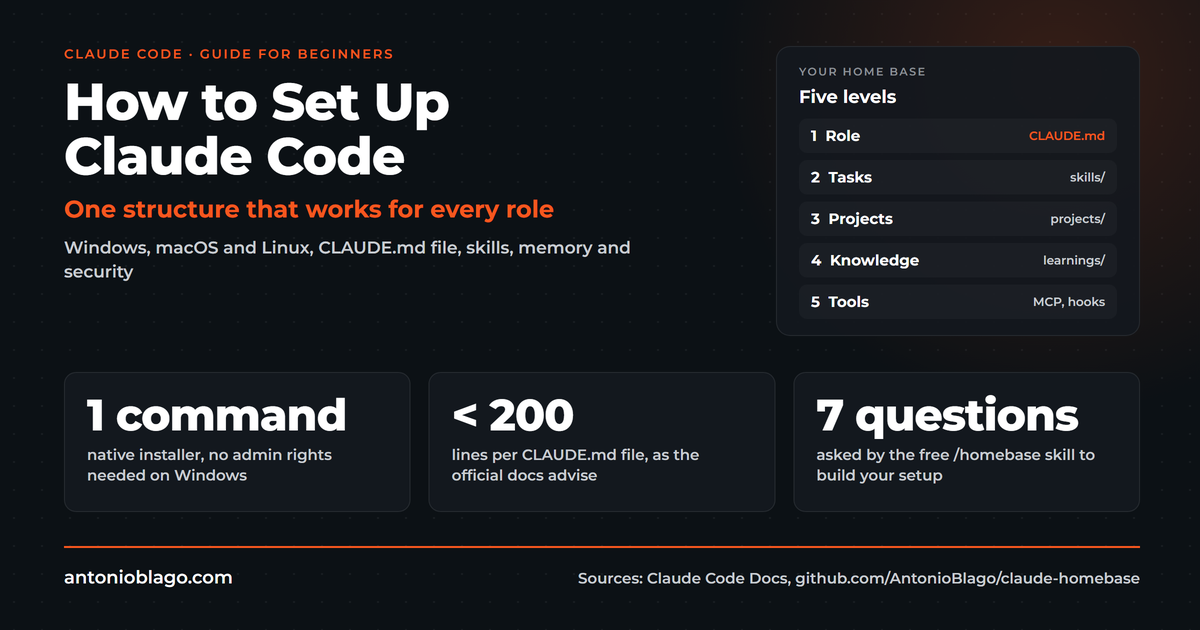
- How to set up Claude Code: a guide for beginners
- Claude Code pricing 2026: plans, limits and API cost
- Best Claude Code skills for developers
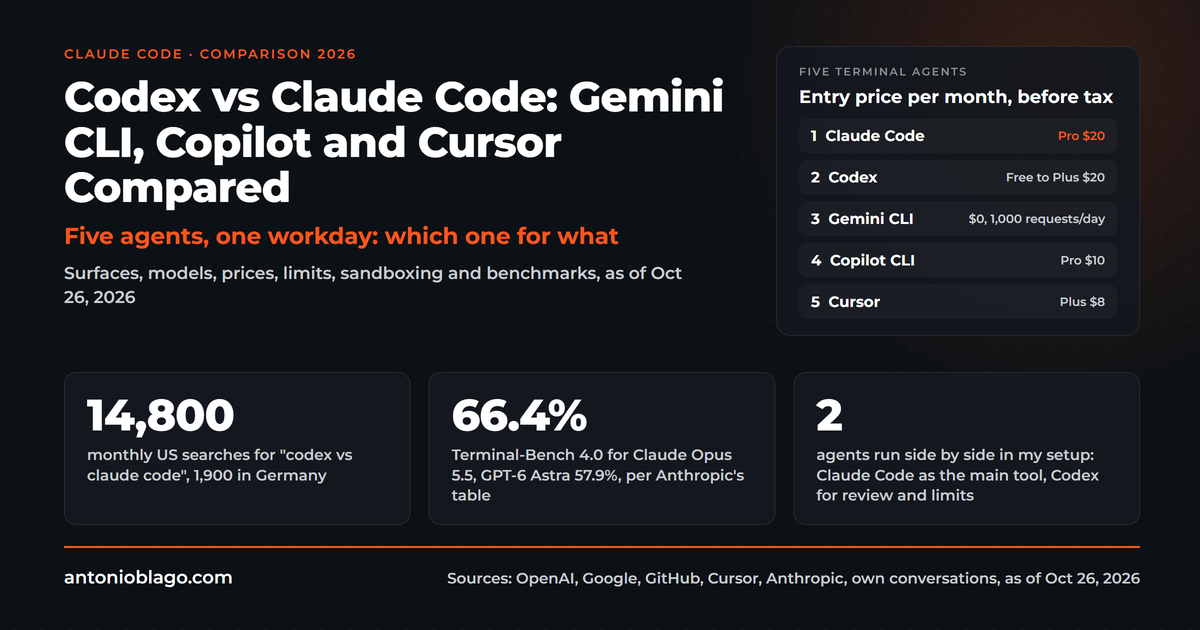
- Codex vs Claude Code: Gemini CLI, Copilot and Cursor compared
- Claude Code privacy and GDPR: a practical guide (this article)
- Claude Team plan: pricing, admin console and setup
From practice
- Agentic SEO systems 2026: Claude Code as an SEO control center
- Agentic engineering: 100+ SEO projects solo with AI
- Claude skills in practice: winning the Peec AI MCP Challenge
- Build an online shop with Claude Code: Happy Coffee
Studies
Be Ahead newsletter
I booked the Claude Team plan and spent a Sunday going through my entire workplace: admin console, Claude Code settings, the data processing agreement, documentation, and finally a script that anonymizes my conversation transcripts before Claude ever sees them[19]. I found things I did not expect, for example an API key sitting in plain text in my own settings file. This article is the guide I wished I had had beforehand.
People ask me all the time whether Claude can be used in a privacy-compliant way. An industrial client may only use Claude Code once the corporate IT department has approved the tool[18]. My short answer: GDPR compliance is not a property of a tool. It is the interplay of contract, settings and the question of which data you feed in at all. How Claude Code works in general is covered in the Claude Code guide.
Methodology and original research: I checked every statement about Anthropic on 01.11.2026 against Anthropic's official pages, linked below. I set and tested the settings in my own Team account, and the anonymization figures come from my own run over 302 transcripts.
The honest answer: how privacy-compliant can Claude be?
The only absolutely safe option is a language model running on your own hardware, whose data never leaves your server. That is possible, but it costs money, time and quality. For most freelancers, agencies and mid-sized companies it is the wrong calculation.
Realistically, most of us already work with Google Workspace, Microsoft 365, Notion, Zoom and social media. All of these services process data in the United States, and we secure them with data processing agreements, standard contractual clauses and sensible settings. The same logic applies to Claude. If you implement this baseline cleanly, you are well positioned for normal business data.
It looks different when special categories under Art. 9 GDPR are involved: health data, client case files, applicant data. This distinction came up in a conversation in October: many companies ban Claude across the board through an AI policy, even though marketing data or Search Console data is not highly sensitive. Customer communication in a regulated environment needs a different setup[18]. A marketing lead from industry put it even more bluntly in June, when we talked about local models as an alternative: somebody specialized has to certify it in the end[18].
Cost and benefit: four tiers compared
I think about AI privacy in tiers. Each tier costs more and protects more. The question is which tier fits your data.
| Tier | What you get | Cost | For whom |
|---|---|---|---|
| 1: Pro or Max with opt-out | Training off, 30-day retention, but no DPA | $17 to $200 per month | Private use, own content without client data |
| 2: Team plan, settings, anonymization | DPA with standard contractual clauses, no training, 30 days, admin control | $20 to $125 per seat per month | Freelancers, agencies, SMEs |
| 3: Enterprise or Claude via AWS/Google in the EU | Processing in EU regions, zero data retention only for qualified Enterprise customers | Seat price plus usage at API rates, 10% regional premium | Corporations, regulated industries |
| 4: Own model, self-hosted | Data does not leave your server | GPU server from EUR 214 per month plus operations | Health, legal, high sensitivity |
Tier 3: Claude via AWS Bedrock or Google Vertex
Anthropic itself currently offers no processing in the EU for its own API. For the place of computation the options are "us" and "global", and the storage location is currently only "us" according to the documentation[9]. If you want Claude to run in an EU region, you go through AWS Bedrock or Google Vertex AI. Bedrock has EU inference profiles, and Frankfurt is among the regions[6]. Claude Code can be switched over with CLAUDE_CODE_USE_BEDROCK=1 and an EU region, on Google with CLAUDE_CODE_USE_VERTEX=1[7][8].
You often read online that AWS charges double for Claude. I could not confirm that. According to Anthropic, regional endpoints on Bedrock and Google cost 10 percent more than global ones, and the global endpoint carries no premium[5][6]. The real effort lies elsewhere: an AWS or Google account, permissions, billing by usage instead of a flat rate. For a small team this is rarely the better choice. Zero data retention, meaning no storage at Anthropic at all, exists for Claude Code only for qualified Enterprise customers, not in the Team plan[17].
Tier 4: self-hosting with open models
Open coding models such as Devstral Small (24 billion parameters, runs on an RTX 4090 or a Mac with 32 GB according to the maker) or Qwen3-Coder can be run locally through Ollama or LM Studio[12][13]. If you want to run such models for a team, you need a server and pay Hetzner EUR 214 per month for a GPU with 24 GB and EUR 999 for 96 GB, net plus a setup fee[10]. On top come maintenance, updates, and the fact that these models are noticeably weaker than Claude on long, multi-step tasks. For most people tier 4 is a project of its own, not a tool.
A middle path is a European provider such as Mistral. It offers a team plan and, for Enterprise, self-hosting or on-premise[11]. It does not work directly with Claude Code, though.
My recommendation: tier 2. It is cheap, covers the contract and can be set up in one afternoon. The rest of this article describes exactly that tier.
Training on your data: consumer plans and the Team plan at Anthropic
The most important step is choosing the plan. Free, Claude Pro, Claude Max and Ultra run under the consumer terms. Since 28.08.2025 you decide there yourself whether your chats and Claude Code sessions are used for training[2]. If you leave training on, Anthropic keeps the data for five years; if you switch it off, for 30 days[3]. What has already been trained stays trained.
The problem: consumer plans come without a data processing agreement. As soon as you process client data, you need one. A personal trainer asked me exactly that in October, after I had recommended vibe coding for her website. My answer: switching training off is enough for your own website, but client data needs the contract[18].
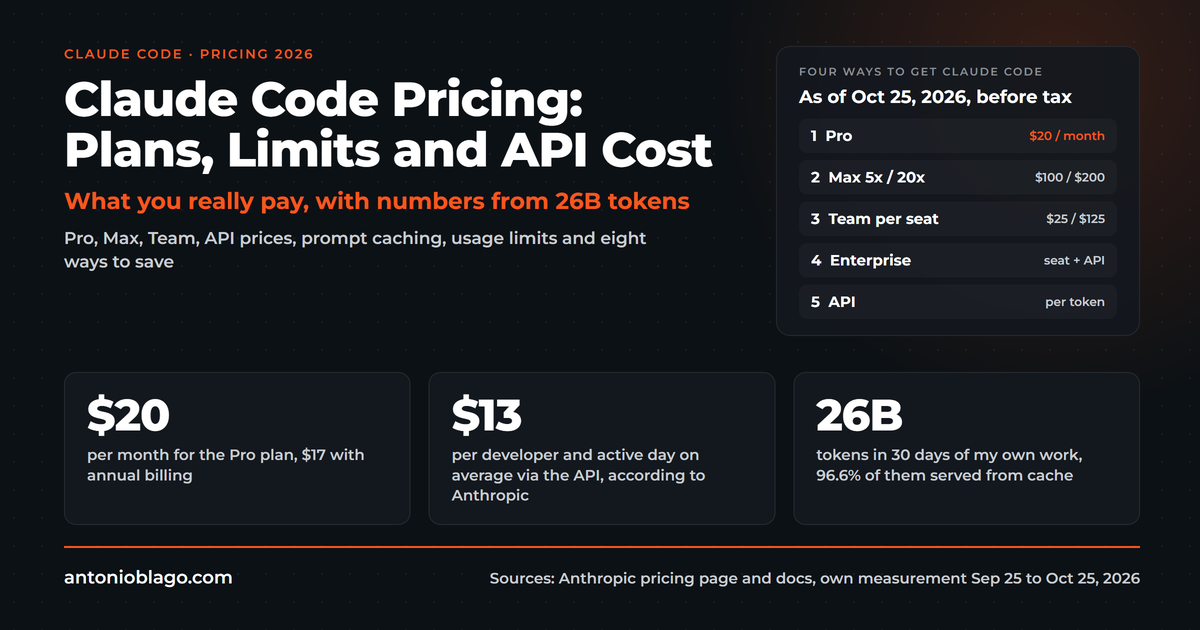
The Team plan (officially "Claude for Teams", with "Claude for Enterprise" above it) runs under the Commercial Terms. The privacy policy and terms for businesses apply differently than for consumers. That means: no training on your data, 30-day retention and a Data Processing Addendum with standard contractual clauses that automatically forms part of the contract[3][15]. No signature is needed. Claude for Teams can be booked from two seats and costs $20 per standard seat with annual billing or $25 monthly[1]. What this costs overall, I worked out in the article on Claude Code pricing.
Important: the protection only applies if everyone signs in with the Team account. If someone uses Claude Code on a company laptop with a private Pro account, they work under consumer terms.
Step by step: the admin console in the Team plan
After booking, a walk through the admin settings is worth it. Most of it was already sensibly preset in my case, but I still changed two switches[19].
Sharing, feedback and location
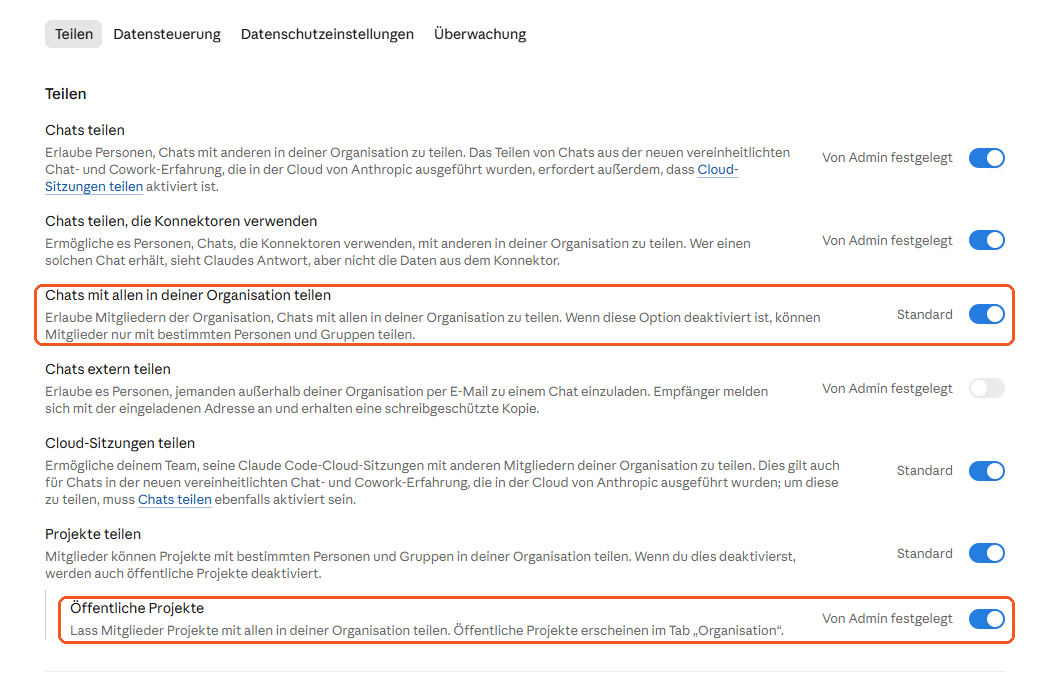
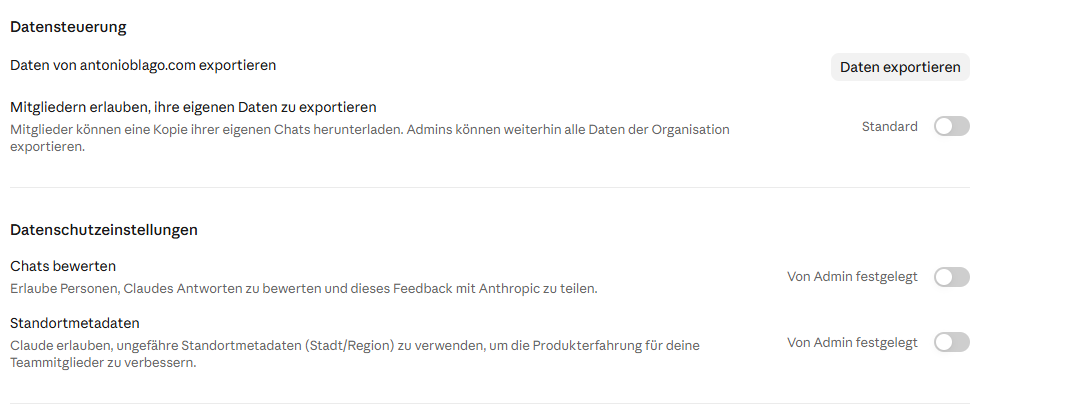
- Rate chats: off. Otherwise users can send ratings including the conversation content to Anthropic.
- Location metadata: off.
- Share chats externally: off.
- Share chats with everyone in the organization: off. Members then share only with specific people, meaning those who work on the respective client.
- Public projects: off. Otherwise every member sees all client projects in the "Organization" tab.
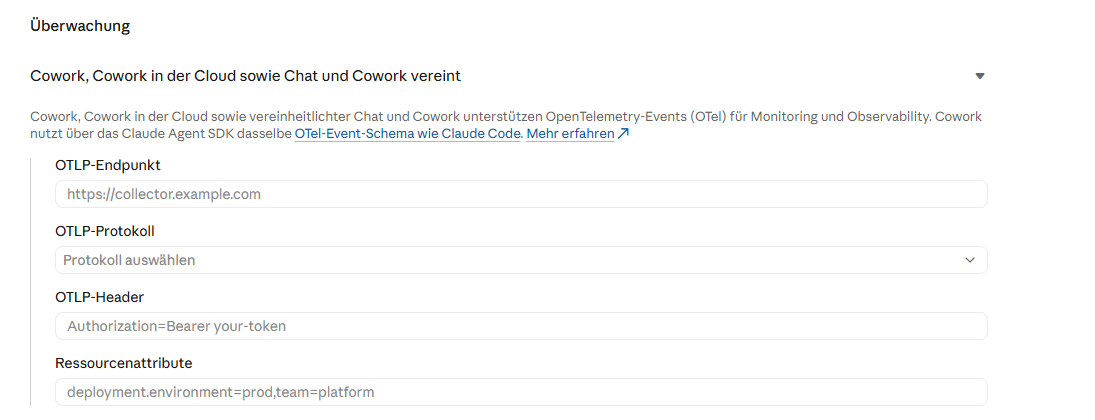
- Monitoring (OpenTelemetry): leave empty. Companies enter their own server there to analyze usage. Without an entry nothing is sent. With an entry, the recipient would be another processor.
Managed settings for Claude Code
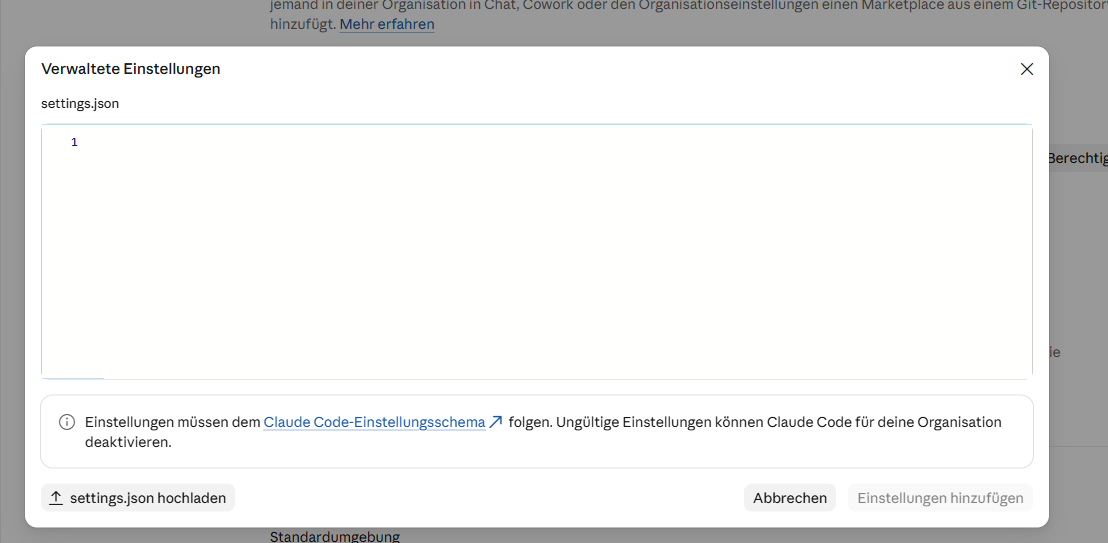
In the Team plan you can store a settings.json under organization settings › Claude Code › Managed settings that applies to all members and cannot be overridden locally[16]. Mine looks like this:
{
  "permissions": {
    "disableBypassPermissionsMode": "disable",
    "deny": [
      "Read(**/.env)",
      "Read(**/.env.*)",
      "Read(**/*token*.json)",
      "Read(**/credentials*)"
    ]
  },
  "env": {
    "DISABLE_TELEMETRY": "1",
    "DISABLE_FEEDBACK_COMMAND": "1",
    "CLAUDE_CODE_DISABLE_FEEDBACK_SURVEY": "1"
  }
}
This blocks the mode in which Claude Code may do everything without asking, forbids reading typical secret files and switches off feedback and telemetry. Caution: according to the admin interface, an invalid file can disable Claude Code for the whole organization. Check beforehand whether your automations use bypass mode, and test afterwards in a fresh session.
Claude Code privacy: settings that actually work
Claude Code is a form of artificial intelligence that acts in your terminal: it reads files, runs commands and sends the context to Anthropic. That is why a closer look is worthwhile here compared with the web interface.
Switch off feedback and telemetry
The underrated point: anyone who uses /bug, /feedback or /share in Claude Code sends the entire conversation to Anthropic, and these transcripts are kept for five years, even on the Team plan[3]. One accidental bug report in the middle of a client session is enough. I therefore set three switches in the env block of my ~/.claude/settings.json: DISABLE_FEEDBACK_COMMAND, CLAUDE_CODE_DISABLE_FEEDBACK_SURVEY and DISABLE_TELEMETRY, each set to "1". I deliberately did not set the catch-all switch CLAUDE_CODE_DISABLE_NONESSENTIAL_TRAFFIC, because it can also disable features such as Remote Control[3].
Read deny rules instead of .claudeignore
Many guides tell you to create a .claudeignore. The documentation says literally that such a file has no effect and that its entries belong in read deny rules[4]. You write read deny rules under permissions.deny, for example Read(./.env) or Read(./Accounting/**), and the patterns follow .gitignore syntax[4].
One limitation you need to know: these rules apply to Claude's own read tool. A shell command such as cat can still read the same file. If you want it watertight, combine the rules with the sandbox or with a hook that blocks such commands[4]. For email I already use a hook that stops every send without approval; the same pattern can block access to sensitive folders.
No secrets in settings
My most embarrassing find: my settings.json contained an API key in plain text. It had slipped into an allow rule months ago when I approved an export command containing the key[19]. Claude Code stores approved commands verbatim. Go through your permissions.allow once and check for keys, tokens or passwords. Credentials belong in a .env protected by a read deny rule, not in commands and not in the chat.
Local logs
Claude Code stores every session locally in plain text under ~/.claude/projects/, for 30 days by default[3]. You can shorten that with cleanupPeriodDays. I left it at 30 days because I use old sessions for handovers and time tracking. More important is that the machine uses disk encryption, with BitLocker on Windows, and that every sign-in uses authentication with your own named account.
Data security and prompt injection
Data security for an agent also means: it reads content you do not trust. A web page, an email or a foreign file can contain instructions that the agent treats as a task. This attack is called prompt injection. No single switch stops it; what helps most is a tight permission frame: read deny rules for secrets, confirmation before write access, and network access only where it is needed. The less personal data sits in the context, the smaller the damage if something slips through.
Anonymize before data goes to Claude
Privacy starts with volume. What Claude does not see does not need protecting. For blog articles and presentations I use my own experience from client conversations, and those sit on my machine as transcripts with full names, email addresses and figures. When I let subagents write transcripts verbatim in October, Claude's safety filter stopped several write operations containing personal content[18]. That was the push to solve the problem upstream.
As a practical example and case study from my own workplace, I wrote a small Python script that runs locally, with no AI call at all. It keeps first names so the texts stay readable and replaces the rest:
- Surnames are dropped; "Surname, First name" becomes "First name".
- Clients become industry placeholders such as "[insulation manufacturer]" or "[beauty shop]", including their domains and misheard spellings.
- Email addresses, phone numbers, IBANs, links, meeting IDs and amounts of money become "[email]", "[amount]" and so on.
On the first run over 302 transcripts it replaced 9,121 names, 1,114 email addresses and 1,158 amounts[19]. The transcript search that my skills use now returns only the anonymized version. Claude no longer gets to see the originals at all.
I am open about the limits: this is pseudonymization, not anonymization in the sense of the GDPR. First name, role and industry together can still make a person identifiable. And third parties who are only mentioned in a conversation and never speak themselves are not recognized by a rule-based script. If you want more, use a local name recognition tool such as Microsoft Presidio. For my purpose the simple version plus a short look before every publication is enough.
GDPR documentation for Claude: the evidence you need
Settings protect, documentation proves. When a client or a supervisory authority asks, what counts is what you can show. I created a "Datenschutz" folder with these files[19]:
| Evidence | Content | Basis |
|---|---|---|
| DPA | Anthropic's DPA as a dated PDF, plus the list of subprocessors | Art. 28 GDPR |
| List of services | Every service that sees client data, with DPA status, including every connected MCP server | Art. 28 GDPR |
| Record of processing | Entry "AI-assisted analysis and text creation" with purpose, data, recipients, retention periods | Art. 30 GDPR |
| Technical and organizational measures | The settings from this article, each with a status | Art. 32 GDPR |
| US transfer assessment | Standard contractual clauses, 30 days, no training, pseudonymization | Art. 44 ff. GDPR |
| DPIA threshold check | Reasoning on whether an impact assessment is needed | Art. 35 GDPR |
| AI literacy | Who has been trained, and how | Art. 4 AI Act |
Five points that are often forgotten:
- Purpose limitation: data a client gives you for a project is used only for that project. A skill that reuses client data for another project breaches purpose limitation.
- Client DPAs: if you work for clients, you are a processor yourself. Anthropic must then be listed as a subprocessor in your DPA with the client, and the client must agree. This is what clients ask about first.
- Data protection impact assessment: it is not automatically mandatory just because AI is involved. Check the criteria. In my case only "new technology" applies, because I process no special categories. Reassess as soon as health or applicant data runs through AI.
- Liability: towards your client you are liable for the processing, even if a subprocessor makes mistakes. Check the liability clauses in your own contracts.
- AI literacy: since 02.02.2025, companies that use AI must ensure sufficient AI literacy among their people, and since 02.08.2026 national authorities supervise this[14]. A short note on who was briefed and when is enough as a start.
On the third-country transfer to the USA: whether Anthropic is certified under the EU-US Data Privacy Framework, I could not check automatically. Look at the list on dataprivacyframework.gov yourself and enter the result with the date in your transfer assessment. The standard contractual clauses in the DPA apply regardless.
Claude Code privacy FAQ: how Claude handles user data
Is Claude GDPR-compliant?
Whether Claude meets the requirements of the General Data Protection Regulation depends on how you use it. For companies in Germany it is neither automatically legally safe nor automatically problematic: plan and configuration matter. Anthropic's security standards do not replace your own measures. With Claude for Teams, Anthropic provides the Data Processing Addendum with standard contractual clauses and does not train on your data[15][3]. What remains are your duties as controller: legal basis, information duties, data minimization and the documentation from the previous section. When you process personal data of third parties, this applies all the more.
Are my chats used to train AI models?
On Free, Pro, Max and Ultra you decide yourself in the privacy settings[2]. On Team, Enterprise and the API, Anthropic does not train on code or prompts according to its documentation, unless you have explicitly chosen to share data, for example in a development partner program[3]. One exception is feedback: whatever you send through /feedback is kept for five years.
Where does Anthropic store my data?
For the Anthropic API, the storage location is currently "us" according to the documentation, and computation runs in "us" or "global"[9]. If you want computation in the EU, use the Claude API through Amazon Bedrock or Google Vertex AI with an EU region, as described in the section on tier 3.
Who needs a DPA with Anthropic?
Anyone who processes personal data of other people, such as clients or employees, with Claude. Consumer plans have none; on the Team plan the DPA automatically forms part of the Commercial Terms[15]. As a service provider you additionally list Anthropic as a subprocessor in your own client contracts.
What does the EU AI Act mean for using Claude?
The EU AI Act has required AI literacy from companies that use AI since 02.02.2025[14]. Whether your use also falls into a risk category depends on the use case, not on the model. Marketing, copy and analysis are different from automated applicant selection. If in doubt, have it reviewed.
How does Claude Code handle your data and code?
Claude Code sends the prompts, the file contents it reads and the command output to Anthropic's servers for processing. On the Team plan, Anthropic keeps this for 30 days and does not train on it; on Claude Pro and Claude Max with training switched on, retention is five years[3]. After a session ends, the code does not simply disappear: the 30-day retention at Anthropic continues, and the local log under ~/.claude/projects/ stays in plain text for 30 days by default[3].
Is the Claude Code CLI safer than Claude in the browser?
Neither is safer by itself, they differ in risk. In the browser or in Claude Desktop you decide which chat history and which file uploads go in. In the terminal the agent reads files on its own and can run commands, so read deny rules and a tight permission frame matter more. The privacy terms depend on the plan you sign in with, not on the interface[3].
How does Claude Code privacy compare to Cursor or Codeium?
I have not reviewed the contracts of those AI coding assistants and will not rank them. Use the same grid as above for every tool: which plan applies, is there a DPA, is training on your data excluded, where is it processed? Add the technical side: encryption of the machine, authentication with a named company account and, where your plan offers it, a second factor.
Is Claude more private than ChatGPT or Copilot?
I cannot answer that responsibly, because I have not reviewed the other providers' contracts. The grid works for any tool, though: which plan applies, is there a data processing agreement, is my data used for training, and where is it processed? If you answer these four questions in writing for each provider, you have your comparison.
Conclusion
Claude can be used in a privacy-compliant way for normal business data if three things are right: the correct plan with a DPA, a few deliberately set switches and less data in the context. That takes one afternoon and $20 to $25 per seat. Absolute safety exists only with your own hardware, and that pays off only when you work with health, client-case or similarly sensitive data.
In the end, documentation matters more than any single setting. A folder with DPA, record of processing, technical measures and transfer assessment answers the questions of clients and corporate IT before they are asked.
If you do not want to do this alone: in the course "Set up Claude in a GDPR-compliant way" in the members area, I walk through every step with screenshots, with templates for the record of processing, technical measures and transfer assessment, the settings.json to copy and the anonymization script including a skill. The course is in German. For teams that introduce Claude together there is the PowerSession, in which we set up your configuration together. How to organize Claude in a team, I describe in the article Using Claude in a team.
All parts of the Claude Code series:
Guide series
- What is Claude Code? The complete guide
- How to set up Claude Code: a guide for beginners
- Claude Code pricing 2026: plans, limits and API cost
- Best Claude Code skills for developers
- Codex vs Claude Code: Gemini CLI, Copilot and Cursor compared
- Claude Code privacy and GDPR: a practical guide (this article)
- Claude Team plan: pricing, admin console and setup
From practice
- Agentic SEO systems 2026: Claude Code as an SEO control center
- Agentic engineering: 100+ SEO projects solo with AI
- Claude skills in practice: winning the Peec AI MCP Challenge
- Build an online shop with Claude Code: Happy Coffee
Studies
Be Ahead newsletter
Sources
- Anthropic: Claude Pricing, accessed 01.11.2026
- Anthropic: Updates to Consumer Terms and Privacy Policy, 28.08.2025, accessed 01.11.2026
- Official documentation: Data usage, accessed 01.11.2026
- Official documentation: Configure permissions, accessed 01.11.2026
- Claude Platform Docs: Pricing, accessed 01.11.2026
- Claude Platform Docs: Claude in Amazon Bedrock, accessed 01.11.2026
- Official documentation: Claude Code on Amazon Bedrock, accessed 01.11.2026
- Official documentation: Claude Code on Google Vertex AI, accessed 01.11.2026
- Claude Platform Docs: Data residency, accessed 01.11.2026
- Hetzner: Dedicated GPU servers, prices net, accessed 01.11.2026
- Mistral AI: Pricing, accessed 01.11.2026
- Mistral AI on Hugging Face: Devstral Small 2507, accessed 01.11.2026
- Qwen on Hugging Face: Qwen3-Coder-30B-A3B-Instruct, accessed 01.11.2026
- European Commission: AI Literacy, Questions & Answers, accessed 01.11.2026
- Anthropic: Data Processing Addendum, accessed 01.11.2026
- Official documentation: Server-managed settings, accessed 01.11.2026
- Official documentation: Zero data retention, accessed 01.11.2026
- Own conversations with clients and prospects, June to October 2026, transcripts local, anonymized
- Own setup of the Team plan and workplace on 01.11.2026: admin settings, managed settings, anonymization script, data protection documentation
Brand Radar: where does your brand stand?
Brand and generic traffic, competitors and potential at a glance, free of charge.

About the Author: Antonio Blago
SEO Freelancer & AI Visibility Expert
I optimize SEO data-driven with Python, behavioral psychology, and my Neuro-SEO System®. On YouTube, LinkedIn, and Instagram I share hands-on tutorials, insights, and SEO strategies.